Fullscreen
The game you're referring to, Five Nights at Freddy's or FNAF, is a point-and-click survival horror game. While the core mechanics are simple, success requires detailed resource management and understanding of enemy behavior. The following details are based on the first game, which establishes the fundamental gameplay loop used throughout the series, though later games introduce unique mechanics.
Extras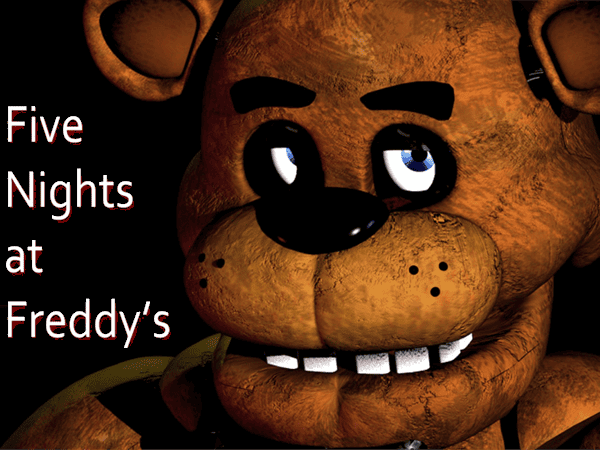
You play as Mike Schmidt, a night security guard at Freddy Fazbear's Pizza. Your main goal is to survive from 12:00 AM to 6:00 AM for five "nights" (with extra nights unlocked later) without being killed by the homicidal animatronic characters. Each night lasts roughly 8 minutes and 37 seconds in real-time.
You are confined to a security office and cannot move. Your tools and resources are:
Function: Allows you to view various rooms in the restaurant to track the animatronics' movements. You can only view one camera at a time.
Resource Drain: Using the monitor drains your limited Power supply.
Strategy: Check cameras frequently, but quickly, to conserve power. Watching the camera for Pirate Cove (Cam 1C) is particularly important for controlling Foxy.
Function: Located on both the left and right sides of your office, you have buttons to:
Resource Drain: Both lights and closed doors continuously drain your Power supply while active, with closed doors draining it much faster.
Strategy: Use the lights only for quick checks. Keep the doors open by default and close them only when an animatronic is confirmed to be directly outside.
Function: This is your primary resource, starting at 100% for the night. All tools (cameras, lights, and doors) drain this power.
Consequence of Draining: If your power reaches 0%, all lights and doors become permanently inoperable. Freddy Fazbear will appear in your office (after a short musical cue, the "Toreador March"), resulting in a game over (jumpscare) unless the clock hits 6:00 AM before he attacks.
Strategy: Power management is the most critical element of the game. You must learn to ration your usage, particularly on later, more difficult nights.
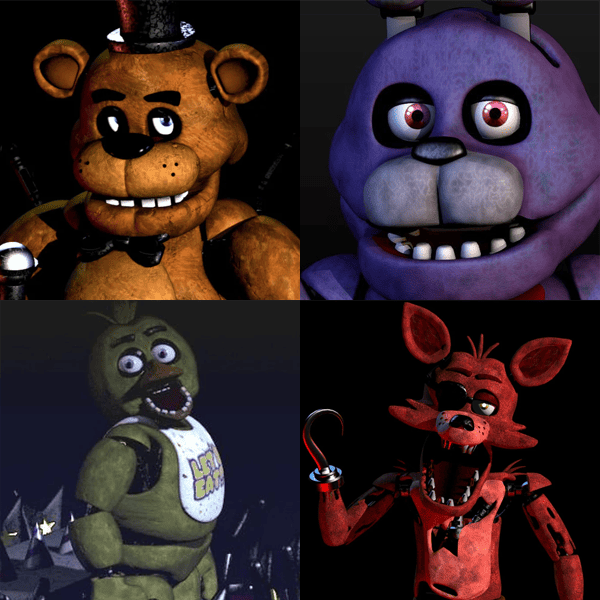
Each animatronic has distinct movement patterns and ways to be countered:
| Bonnie the Bunny | Left side (West Hall) | Close the Left Door when he is seen in the blind spot (using the Left Light). | Usually, the most active are early on. He will sometimes appear right outside the left door. He can temporarily disable the cameras when he's near the Office. |
| Chica the Chicken | Right side (East Hall) | Close the Right Door when she is seen in the blind spot (using the Right Light). | Similar to Bonnie, but uses the right side. She will sometimes be heard shuffling in the kitchen (where the camera is audio-only). |
| Foxy the Pirate Fox | Pirate Cove (Cam 1C) → West Hall → Office (Left Door) | Monitor Pirate Cove regularly. If he's already sprinting down the hall, close the Left Door immediately. | He emerges slowly from his curtain if he is not monitored frequently enough. Once he runs, he attempts to enter the office, and if the door is open, he attacks. If the door is closed, he bangs on it, draining a large chunk of power, and returns to Pirate Cove. |
| Freddy Fazbear | Right side (East Hall) | Keep track of his movement on the cameras. Lower the Right Door when he is at the East Hall Corner (Cam 4B). | Less active on early nights, but becomes more aggressive later. He moves only when the monitor is not viewing his current location. If he reaches the East Hall Corner (Cam 4B), you must check the camera and have the door closed to prevent him from sneaking into the office when you look away. He laughs when he moves. |
| Golden Freddy | Rare appearance. | Quickly raise and lower the Monitor when he appears in your office. | An infrequent and random occurrence, sometimes triggered by viewing a poster of his face on Cam 2B. If he appears in your office, do not hesitate, or he will jumpscare you. |
Quickly check key cameras (especially Pirate Cove and the main hall cameras to track Freddy/Bonnie/Chica).
Quickly check the side lights to see if Bonnie or Chica is at the door.
Immediately close the door only if necessary, then open it again once the animatronic moves away (which you can hear, or sometimes see on the camera).
Foxy: Requires consistent monitoring (checking his camera frequently, but not constantly).
Bonnie & Chica: Require frequent checks with the door lights.
Freddy: Needs to be tracked on the cameras once he becomes active on Night 3 and later, often requiring the right door to be lowered when he reaches Cam 4B.
Here is the guide to navigate in the game:
Yes, FNAF features a Custom Night. Once you successfully beat Night 6, the game unlocks Night 7, where you can personally adjust the AI Level for every animatronic between 0 and 20.
The community unofficially calls setting all animatronic AI Levels to 20/20/20/20 in Custom Night '4/20 Mode.' This presents the game's ultimate challenge.
You get your first paycheck. That signals the end of the game. However, you also unlock Night 6 and the Custom Night immediately.
If the power fails, the doors and lights become non-operational, allowing Freddy Fazbear to appear and play the 'Toreador March' right before he jumpscares the player; only the 6:00 AM chime can save you.
The first FNAF game concludes with a single primary ending—earning paychecks for Nights 5 and 6, and a termination notice after Custom Night. Only in subsequent titles did the developers begin adding multiple, lore-altering conclusions.
Freddy only moves along a fixed path, signaling his movement with a deep, raspy laugh. Therefore, players need to constantly monitor the camera in Freddy's current zone (such as Cam 4A or 4B) to 'stall' him, as he remains still only when the camera is focused on him.
Absolutely. Foxy rushes through the Left Door. Close it fast, and he hits the door, costing you serious power, then heads back to Pirate Cove. Leave the door open, and he immediately ends your game with a jumpscare.